


创建你的 数字名片
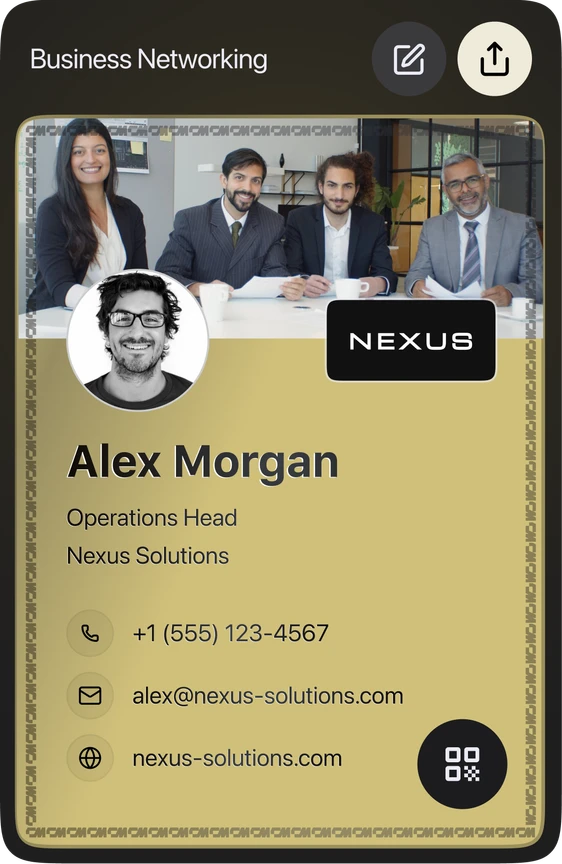
填写你的信息,边输入边看名片实时更新。预览显示的是名片正面,你添加的每项内容都会出现在分享出去的名片上
我们已根据你的公开资料为你预填了名片。请核对信息,添加你的邮箱或电话,然后创建名片。






We built more for you
Your details were enough to build all of them. Pick any one below to preview, download or edit it.
WALLET PASS
Keep your card in your phone
The same details as an Apple or Google Wallet pass. Open it at the table and they scan the QR — no app, no typing.
Sent. Open the email on your phone and tap add.
Wallet passes can only be added from a phone. On a laptop, email it to yourself.

EMAIL SIGNATURE
Add it to your email in 30 seconds
Copy the signature, then follow the short guide for your email client.
Let us get your email signature set up!
Hi Team, I wanted to share my updated contact card containing our brand new email signature guidelines. Looking forward to our launch next week! Best regards,
VIRTUAL BACKGROUND
Your virtual background is ready
Download it, then set it as your virtual background in Zoom, Meet or Teams.
PNG · 1920×1080 · free to use anywhere
LINKEDIN BANNER
Your LinkedIn banner is ready
Download it, then add it as your cover image from the camera icon on your LinkedIn profile.
PNG · 1584×396 · no watermark
VCARD QR CODE
Your vCard QR code is ready
A business card with your code on it. Anyone who scans it can save your contact in one tap.
SVG · 3.5 × 2 in · ready to print
We built more for you
扫码打开你的名片
调整头像
拖动可调整位置,用滑块或双指缩放。