
Crea il tuo biglietto digitale
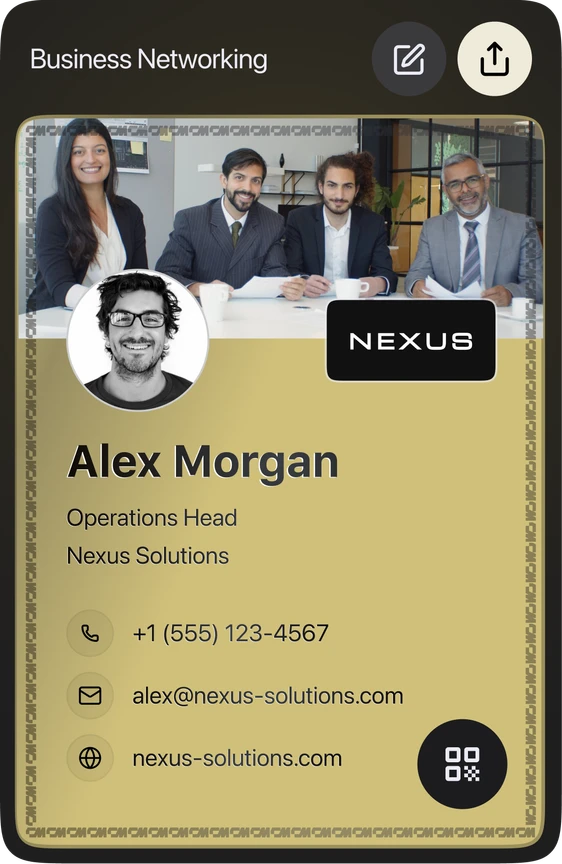
Inserisci i tuoi dati e guarda la carta aggiornarsi in tempo reale mentre scrivi. L'anteprima mostra il fronte della carta. Tutto ciò che aggiungi è visibile sulla carta condivisa
Abbiamo preparato il tuo biglietto dal tuo profilo pubblico. Controlla i dati, aggiungi la tua email o il tuo telefono e crealo.





Biglietto da visita digitale

Live Preview
Guarda come appare il tuo biglietto da visita digitale in tempo reale.
We built more for you
Your details were enough to build all of them. Pick any one below to preview, download or edit it.
WALLET PASS
Keep your card in your phone
The same details as an Apple or Google Wallet pass. Open it at the table and they scan the QR — no app, no typing.
Sent. Open the email on your phone and tap add.
Wallet passes can only be added from a phone. On a laptop, email it to yourself.

EMAIL SIGNATURE
Add it to your email in 30 seconds
Copy the signature, then follow the short guide for your email client.
Let us get your email signature set up!
Hi Team, I wanted to share my updated contact card containing our brand new email signature guidelines. Looking forward to our launch next week! Best regards,
VIRTUAL BACKGROUND
Your virtual background is ready
Download it, then set it as your virtual background in Zoom, Meet or Teams.
PNG · 1920×1080 · free to use anywhere
LINKEDIN BANNER
Your LinkedIn banner is ready
Download it, then add it as your cover image from the camera icon on your LinkedIn profile.
PNG · 1584×396 · no watermark
VCARD QR CODE
Your vCard QR code is ready
A business card with your code on it. Anyone who scans it can save your contact in one tap.
SVG · 3.5 × 2 in · ready to print
We built more for you
Trova ConnectMachine per primo su Google
Aggiungici come fonte preferita e i nostri strumenti gratuiti compariranno più in alto alla prossima ricerca.
Scansiona per aprire la tua carta
Regola la foto profilo
Trascina per riposizionare l'immagine. Usa il cursore o il pizzico per lo zoom.